Open your CRM. Salesforce, HubSpot, Zoho .. it does not matter which one. You see rows, columns, filters. You can select 500 contacts and update a field in one click.
Open your analytics dashboard. Whether it is GA4 or Mixpanel or Amplitude, you get tables, exports, and bulk selections. Every data point in front of you at once.
Open your database client. Whether it is pgAdmin or TablePlus or any SQL tool, you can query, filter, and update thousands of records in a single statement.
Now open your CMS.
Want to see all your page titles in one place? You cannot. Want to update meta descriptions across 200 blog posts? Click into post one. Scroll down to the settings panel. Edit. Save. Click back. Click into post two. Repeat 200 times.
This is not an exaggeration. This is Tuesday afternoon for most content teams.
The gap nobody talks about
Every data discipline has a spreadsheet view. It is so fundamental that nobody even thinks about it. When a sales ops person needs to clean up 1,000 contact records, they open a list, filter it, and edit in place. The tooling assumes bulk operations are a normal part of the job.
CMS platforms do not make this assumption. They were built for one thing .. creating and editing individual pages. The entire interface is optimized for a single page at a time. Headings, body text, images, modules, settings. All scoped to one URL.
That design works fine when you are building a five-page marketing site. It falls apart the moment you are managing a 200-page blog, a 50-page resource library, or a multi-language site with thousands of entries.
The problem is not that the page editor is bad. It is that the page editor is the only tool you get.
What a spreadsheet view actually means for content teams
When we talk about a spreadsheet view for CMS content, we are not talking about exporting a CSV and reimporting it. That workflow exists, and it is painful. You lose formatting. You break relationships between content types. You introduce errors on reimport that take hours to debug.
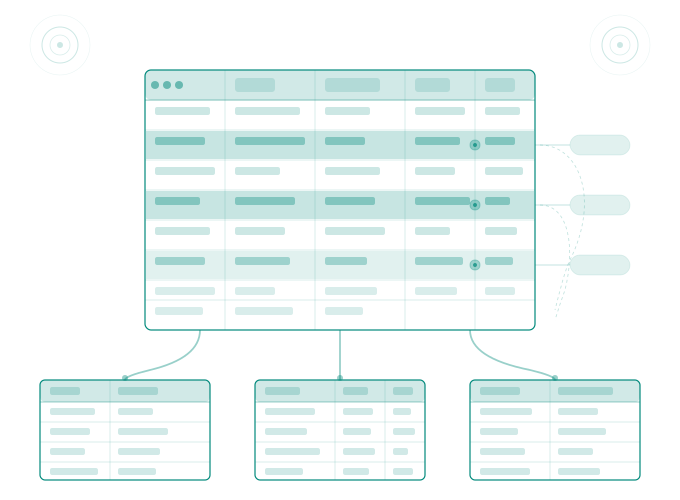
A real spreadsheet view means pulling your live CMS data into rows and columns where you can filter, sort, and edit ... then push changes back without the export-import dance.
Imagine this workflow instead. You connect your HubSpot portal. You select "blog posts" as your content type. Every post appears as a row. Title, URL, meta description, featured image alt text, publish date, author, all visible as columns. You spot 47 posts with missing meta descriptions. You write them directly in the cells. You push the updates back to HubSpot. Done.
That is what we built at Smuves. A Google Sheets integration that treats your HubSpot CMS content like structured data instead of individual pages locked behind an editor.
The find-and-replace problem makes this worse
If you cannot see all your content in one view, you definitely cannot search across it. HubSpot has had an open community feature request for sitewide find-and-replace since 2017. Nearly a decade of users asking for the same thing. The official response has consistently been that this is not something the team is currently planning to build.
Think about what that means for a content team going through a rebrand. You changed your product name. Or your company name. Or a partner brand name. You need to find every instance across every page, every blog post, every landing page, and replace it.
Without a spreadsheet view, you are opening pages one at a time and using Ctrl+F inside each page editor. Without site wide find-and-replace, you do not even know which pages contain the old name until you manually check.
We wrote about this exact problem in more detail in our breakdown of why CMS platforms still lack find-and-replace. The short version, it is a category problem, not a feature gap.
Why CRM tooling evolved and CMS tooling did not
CRM platforms figured this out early. The entire value proposition of a CRM is managing data at scale. Bulk actions, list views, filtered segments, mass updates, these were table stakes from day one.
CMS platforms took a different path. They evolved from publishing tools. WordPress started as a blogging engine. HubSpot CMS grew out of a marketing platform. The mental model was always "create a page, publish a page." Maintenance at scale was never part of the original design.
The result is a tooling gap that grows wider as your website grows larger. A 10-page site does not feel the pain. A 100-page site starts to feel it. A 1,000-page site is drowning in it.
Content teams end up doing one of three things. They build internal scripts to interact with the CMS API (expensive and fragile). They hire freelancers to do the manual clicking (slow and error-prone). Or they just do not maintain their content. Pages accumulate outdated metadata. Alt text goes missing, Redirects pile up unmanaged.
That third option is the most common. And it is how websites slowly decay without anyone noticing. We covered this pattern in our website hygiene playbook the slow accumulation of small problems that compound into real damage over time.
The spreadsheet view as a content operations layer
Here is where the thinking shifts. A spreadsheet view is not just a convenience feature. It is a content operations layer.
When content lives in rows and columns, you can do things that are impossible in a page editor. You can sort all blog posts by publish date and spot gaps in your publishing cadence. You can filter by author and see who owns which content. You can compare meta descriptions side by side and catch duplicates instantly. You can run formulas to flag titles over 60 characters or descriptions under 120 characters.
This is the same kind of data hygiene that every other team takes for granted. Sales ops cleans CRM data weekly. Analytics teams validate tracking parameters. Database administrators run integrity checks.
Content teams deserve the same tooling. Not because they are technical, but because managing a website at scale is a data problem whether you call it that or not.
What we are building at Smuves
Smuves started because our founder was tired of editing HubSpot pages one at a time during a large website project. She built a Google Apps Script that pulled CMS content into a spreadsheet. It saved weeks of work.
That script became a product. The product now handles bulk editing for pages, blog posts, redirects, tags, authors, and HubDB tables in HubSpot. Every edit is logged. Every change is reversible.
The free tier lets you inspect and export your content. The Pro tier gives you full bulk editing and push-back capability. If you are managing more than 50 pages in HubSpot and you have never seen your content in a spreadsheet view, it is worth trying.