Something interesting is happening in the HubSpot ecosystem. B2B companies are keeping their HubSpot CRM, keeping their automation, keeping their sales pipeline, and moving their website somewhere else entirely.
Not because they are unhappy with HubSpot as a company. Most of them love the CRM. They love the workflows. They love the reporting. What they do not love is building and maintaining their public-facing website inside HubSpot CMS.
This is not a fringe trend. It is a structural shift in how B2B teams think about their tech stack. And it has significant implications for anyone managing content at scale.
The bundle is breaking
For years, HubSpot sold the all-in-one story. CRM, marketing automation, email, CMS, all under one roof. The pitch made sense. One login. One source of truth. No integration headaches.
And for small to mid-size teams, it worked. You could spin up a website, connect it to your CRM, and start running campaigns without stitching together five different tools. That simplicity was HubSpot's biggest selling point.
But as companies scaled, cracks started showing. Not in the CRM side. HubSpot CRM genuinely got better every year. The issue was always on the website side.
HubSpot CMS was built to make website management easy for marketers. And it did. But easy and powerful are different things. When a team needed to build complex page layouts, optimize Core Web Vitals scores, ship custom interactive components, or manage content across multiple languages and regions, the CMS started to feel like a constraint rather than an enabler.
The result is what we are now seeing across the industry. Teams are unbundling. The CRM stays in HubSpot. The website moves to Webflow, Contentstack, a headless setup with Next.js, or some other platform that gives them more control over the frontend experience.
What is actually driving the split
There are three forces pushing this trend, and none of them are about HubSpot being a bad product.
The first is performance. HubSpot CMS loads tracking and personalization scripts by default. These scripts are valuable for marketing teams that use them, but they cost page speed. For B2B companies competing on organic search, every millisecond matters. Core Web Vitals are not a vanity metric anymore. They directly affect rankings. Teams that care about performance want control over what gets loaded on every page, and HubSpot CMS does not give them that level of granular control.
The second is design flexibility. HubSpot CMS uses a template and module system. Modules are reusable components, and they work well for standard layouts. But when a design team wants to push beyond the template structure, build highly custom pages, or implement interactive elements that go beyond what drag-and-drop allows, they hit walls. The workaround is usually HubL code in custom modules, which means you need a developer for what should be a design decision.
The third is content architecture. This is the one that does not get talked about enough. As companies grow, their content needs outgrow the flat page model. They need structured content types, modular content blocks that can be reused across pages and channels, localization frameworks, and content relationships that go beyond simple linking. Headless CMS platforms like Contentstack were built for this from the ground up. HubSpot CMS was not, and retrofitting structured content into a system designed around pages is painful.
The CRM is not going anywhere
Here is the important part that gets lost in the conversation. This is not an anti-HubSpot trend. It is a pro-specialization trend.
HubSpot CRM does its job extremely well. Contact management, deal pipelines, email sequences, reporting dashboards, marketing automation. None of that is under threat. Companies that unbundle are not replacing HubSpot. They are narrowing what they use it for.
The dominant architecture emerging in 2026 looks like this. HubSpot handles CRM, marketing automation, email, and analytics. A headless CMS handles website content, structured data, and frontend delivery. Forms on the website submit to HubSpot through API integrations so leads still flow into the same pipeline. The two systems talk to each other, but neither one tries to do the other's job.
This is not a new pattern. It is exactly what happened with Salesforce years ago. Nobody uses Salesforce to build their website. But everybody uses Salesforce CRM. The CRM and the website became separate concerns a long time ago for enterprise companies. Mid-market B2B is just catching up to that same realization.
The migration is the hard part
Deciding to split is the easy decision. Executing it is where things get messy.
When a company has been running on HubSpot CMS for three or four years, they do not just have a website. They have hundreds of pages built with HubSpot modules. They have blog posts with embedded CTAs. They have landing pages tied to workflows. They have HubDB tables powering dynamic content. They have redirects, metadata, form integrations, and global partials that are woven into the site architecture.
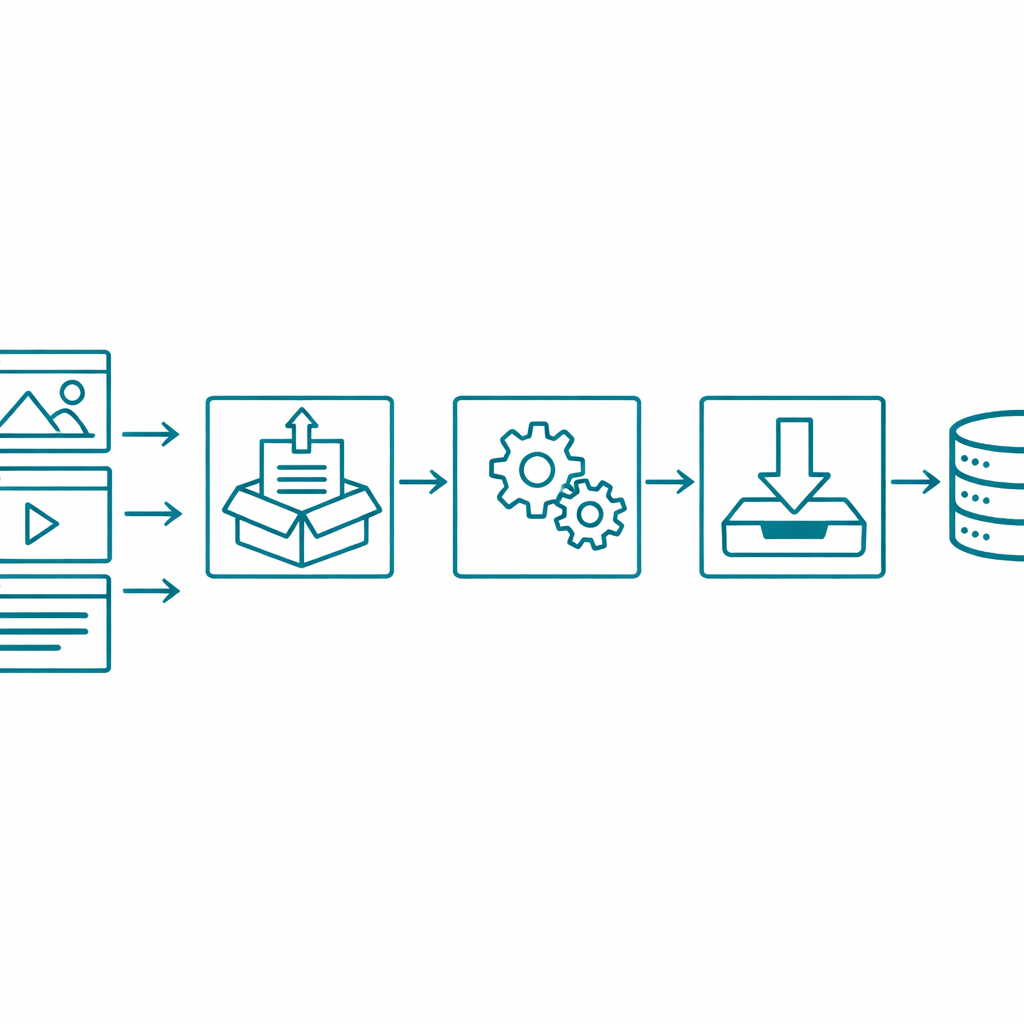
Moving all of that to a new platform is not a redesign project. It is a content engineering project. Every page needs to be extracted with its full structure, not just the visible text but the modules, the metadata, the relationships between content types. Then that content needs to be transformed to fit the new platform's content model. Then it needs to be loaded into the new system with references intact.
This is where most migrations go sideways. Teams focus on the new design and treat the content migration as a copy-paste exercise. It is not. A site with 500 pages might have 30 different module types, 15 HubDB tables, and thousands of internal links that all need to be remapped. Skip the content inventory and you end up discovering orphaned pages three months after launch.
Forms are another blind spot. Every form on the HubSpot site is tied to a workflow, a lifecycle stage update, or a notification. Moving the website to a new frontend means rebuilding every form submission path. The form itself might look simple, but the automation behind it is not.
Where Smuves fits in this
We have been watching this trend closely because we are in the middle of it.
Smuves started as a bulk editing tool for HubSpot CMS. The idea was simple. Content teams needed a way to see and edit their HubSpot content at scale, in a spreadsheet view, instead of clicking through pages one at a time. That tool naturally evolved into content auditing, because before you can edit content intelligently, you need to know what you actually have.
And content auditing naturally led to migration work. When a company decides to move their website off HubSpot CMS, the first question is always the same. What do we actually have? How many pages, how many modules, how many content types, how many languages, how many redirects? The audit is the foundation.
We built the extraction and transformation infrastructure to answer that question. Pull everything out of HubSpot CMS, including the stuff that does not show up in a standard export. Map the modules to the destination platform's content model. Consolidate where it makes sense. Then load it into the new system with the structural integrity intact.
We recently completed a project involving over 31,000 content entries, 57 content types, 166 modules, and 11 languages. The transformation phase alone took 166 modules down to 40, not by cutting content, but by identifying redundant module types and consolidating them into configurable components. That kind of cleanup is not possible if you treat migration as a lift-and-shift.
The way we think about it is this. The decision to split HubSpot CRM from HubSpot CMS is a strategy decision. The execution of that split is a content engineering problem. And content engineering requires tooling that treats website content as structured data, not as a collection of individual pages.
What to think about before you split
If your team is considering this move, here is what matters most before you touch a single line of code.
Start with a content inventory. Know exactly what your HubSpot CMS contains. Not just the page count, but the module types, the HubDB tables, the forms, the redirects, the localization structure. You cannot plan a migration without knowing the scope.
Decide what stays and what goes. Not everything in your current site needs to migrate. Old blog posts with zero traffic, duplicate modules doing the same thing, landing pages for campaigns that ended two years ago. A migration is the best time to clean house.
Map your form and automation dependencies. Every form on your site connects to something downstream. Before you move the frontend, document every form, what it triggers, and how that will work when submissions come from a different platform.
Plan for the transition period. There will be a window where your CRM is on HubSpot, your new website is being built, and your old site is still live. How will you handle content updates during that window? What is the rollback plan if something breaks on launch day?
Pick the right destination. Webflow, Contentstack, Sanity, Strapi. They are all good platforms, but they solve different problems. Webflow is great for design-led teams that want visual control without code. Contentstack is built for enterprise content operations with complex localization and multi-channel delivery. The choice depends on what your team actually needs, not what is trending on Twitter.
The bigger picture
The unbundling of HubSpot CRM from HubSpot CMS is part of a larger pattern. The all-in-one platform era is giving way to the best-of-breed, composable stack era. Companies want the best CRM, the best CMS, the best analytics, the best email, and they want them connected through APIs rather than locked into a single vendor.
HubSpot itself seems to understand this. Their investment in APIs, their App Marketplace, and their increasing openness to integrations all point toward a future where HubSpot is the CRM hub that connects to whatever else you use, rather than the platform that tries to do everything itself.
For content teams, this means the website is becoming its own discipline again. Not a subsection of the CRM. Not a feature of the marketing platform. A standalone, structured, engineered system that delivers content to wherever it needs to go.
And that is a good thing. The teams that treat their website content as a managed data layer, with proper extraction, transformation, and loading, are the ones that will make this transition cleanly. The ones that treat it as a copy-paste exercise will spend the next year cleaning up what they missed.
If you are thinking about this split, or if you are already in the middle of it, we would like to hear about it. Content migration is what we do, and we have opinions about the right way to do it.
Smuves is a content engineering platform for HubSpot. We help teams audit, bulk edit, and migrate website content at scale. Learn more about our migration services.